
Edge computing means processing data close to where it's created, such as on a device or a nearby server, instead of sending all of it to a distant data center. This shortens response times, reduces the amount of data sent over the network, and can keep some systems running when the internet connection fails.
The term doesn't have one universally agreed meaning. A 2018 NIST report noted that there was no consensus on how edge computing differs from related ideas such as fog computing. In everyday use, it simply means moving computing nearer to the people and machines that use the data.
The market is growing quickly. IDC estimates that worldwide spending on edge computing reached $265 billion in 2025 and forecasts about $450 billion by 2029.
How edge computing works
Most edge systems follow the same basic steps:
A device collects data. This could be a camera, factory sensor, card reader, or connected machine.
A nearby system processes it. The work happens on the device itself, or on a local gateway or small server.
The system acts right away. For example, it can raise an alert, stop a machine, or update a display without waiting for a distant server.
Only useful data goes to the cloud. Summaries, unusual events, and data for long-term storage can be sent onward.
The cloud manages the bigger picture. It can store records, analyze trends across locations, train AI models, and send updates back to edge systems.
The main reason this helps is distance. Latency, the time data takes to travel between points, depends partly on physical distance, so processing nearby can reduce delays.
Here's a simple example. A security camera could send all of its video to the cloud around the clock. With edge computing, a small local system analyzes the footage and uploads only the clips that show movement, which uses far less bandwidth.
Edge computing vs cloud computing
Edge computing doesn't replace the cloud. Most real systems use both, with each handling the work it suits best.
Factor | Edge computing | Cloud computing |
|---|---|---|
Where data is processed | On or near the device | In remote data centers |
Response time | Usually faster | Depends on distance and network |
Internet dependence | Can keep some functions running offline | Usually needs a connection |
Computing power | Limited by local hardware | Large and easy to scale |
Management | Many devices across many sites | More centralized |
Best for | Instant decisions and local data | Storage, large-scale analysis, and AI training |
Benefits of edge computing
Faster responses: local processing suits tasks that can't wait for a round trip to a distant server.
Lower bandwidth use: filtering data locally means sending less over the network.
Better resilience: key functions may keep working during an internet outage.
More control over data: some sensitive information can stay on-site, which may help with privacy and data location rules.
Challenges to plan for
Physical security: edge devices often sit outside secure data centers, so someone may be able to reach and tamper with them.
A larger attack surface: more devices and connections give attackers more possible targets, and patching them across many sites can be difficult.
Harder management: updating and monitoring hundreds of locations needs strong automation.
Upfront cost: you may need to buy and maintain hardware at every site.
Limited capacity: local devices can't match the computing power available in a large data center.
Real-world uses of edge computing
Restaurants: Chick-fil-A
Chick-fil-A offers one of the best-documented examples. The company says every restaurant has an edge computing cluster. It built the platform to support connected equipment, such as fryers, grills, and registers, to help with restaurant capacity, food quality, and customer service.
Manufacturing
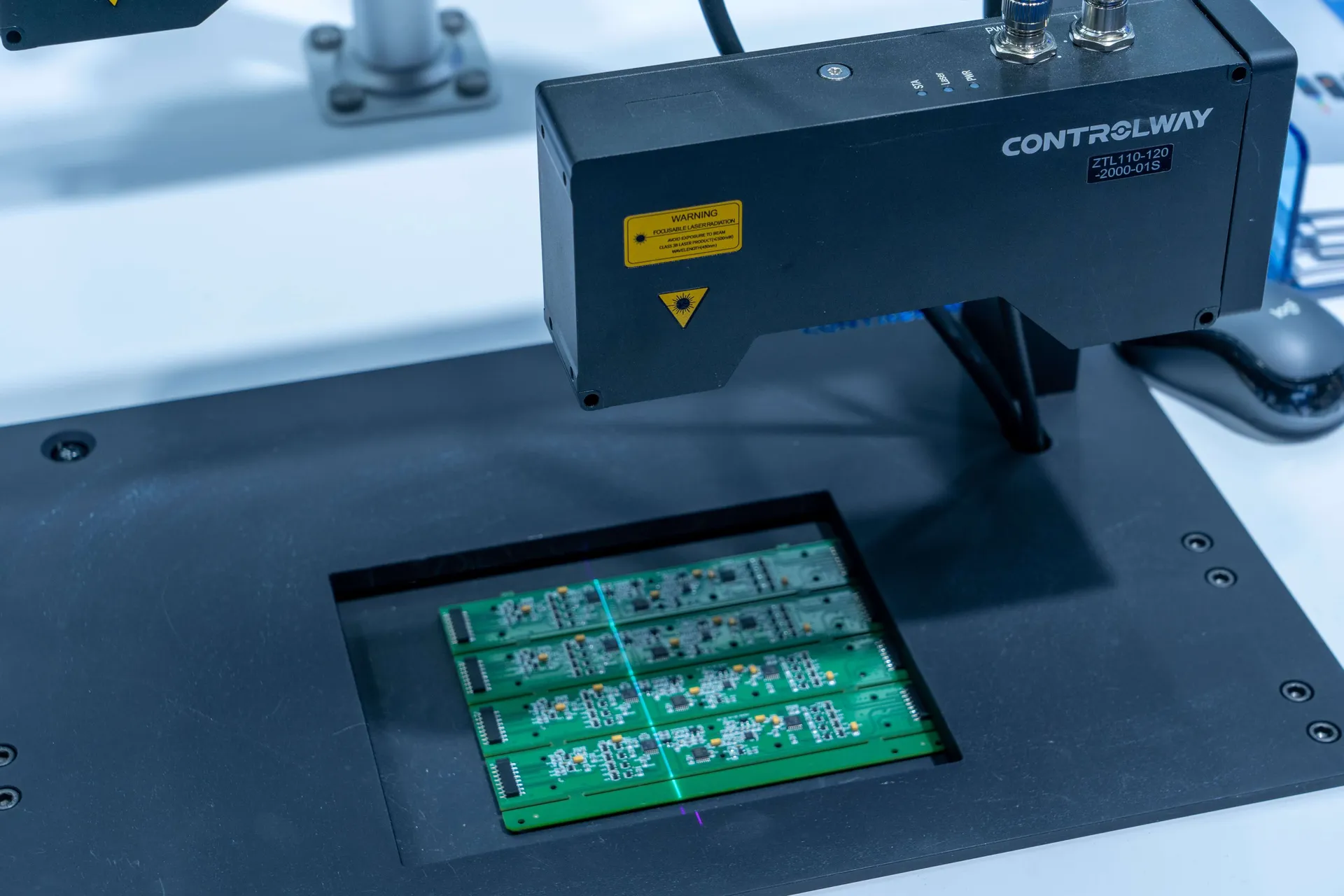
Factories can analyze sensor data on-site to spot unusual vibration or temperature readings. Red Hat's discussion of edge use cases includes predictive maintenance and worker safety, where a fast response matters.
Retail

Stores can use local systems for checkout, inventory, and digital signs. If the internet connection drops, a well-designed local system may keep essential functions running.
Healthcare
Hospitals and clinics can process data from medical equipment close to the patient, and Red Hat's discussion also mentions diagnostic uses. Any system like this must meet strict safety and privacy requirements.
Transportation
Vehicles can't rely on a distant server for split-second decisions, so driver-assistance systems process much of their sensor data on board. Fleets can then send selected data to the cloud for wider analysis.
Do you need edge computing?
It's worth considering if you can answer yes to at least one of these questions:
Does a delay of even a fraction of a second affect safety or service?
Do your devices create more data than you can afford to send to the cloud?
Do you operate in places with unreliable internet?
Must some data stay on-site?
If not, cloud services alone may be simpler and cheaper. When you do need the edge, start with one site and one clear use case, secure your devices from the beginning, and plan how you'll update them remotely before you expand. For the background, see our guide to cloud computing explained .
Sources
Chick-fil-A Tech Blog. Enterprise Restaurant Compute.
Chick-fil-A Tech Blog. What We Learned from Launching Edge Compute from Enterprise Architecture.
EC-Council University. The Cybersecurity Risks of Edge Computing.
IDC. Edge Computing Global Spending to Grow at 15%, reaching $450 Billion by 2029. February 2026.
Iorga, M., Feldman, L., Barton, R., Martin, M., Goren, N., and Mahmoudi, C. Fog Computing Conceptual Model. NIST Special Publication 500-325, 2018.
ITPro Today. How to Prevent Physical Security Nightmares in Edge Computing.
Red Hat. Edge computing covered and diced.